



DRTView Release Notes

What's New

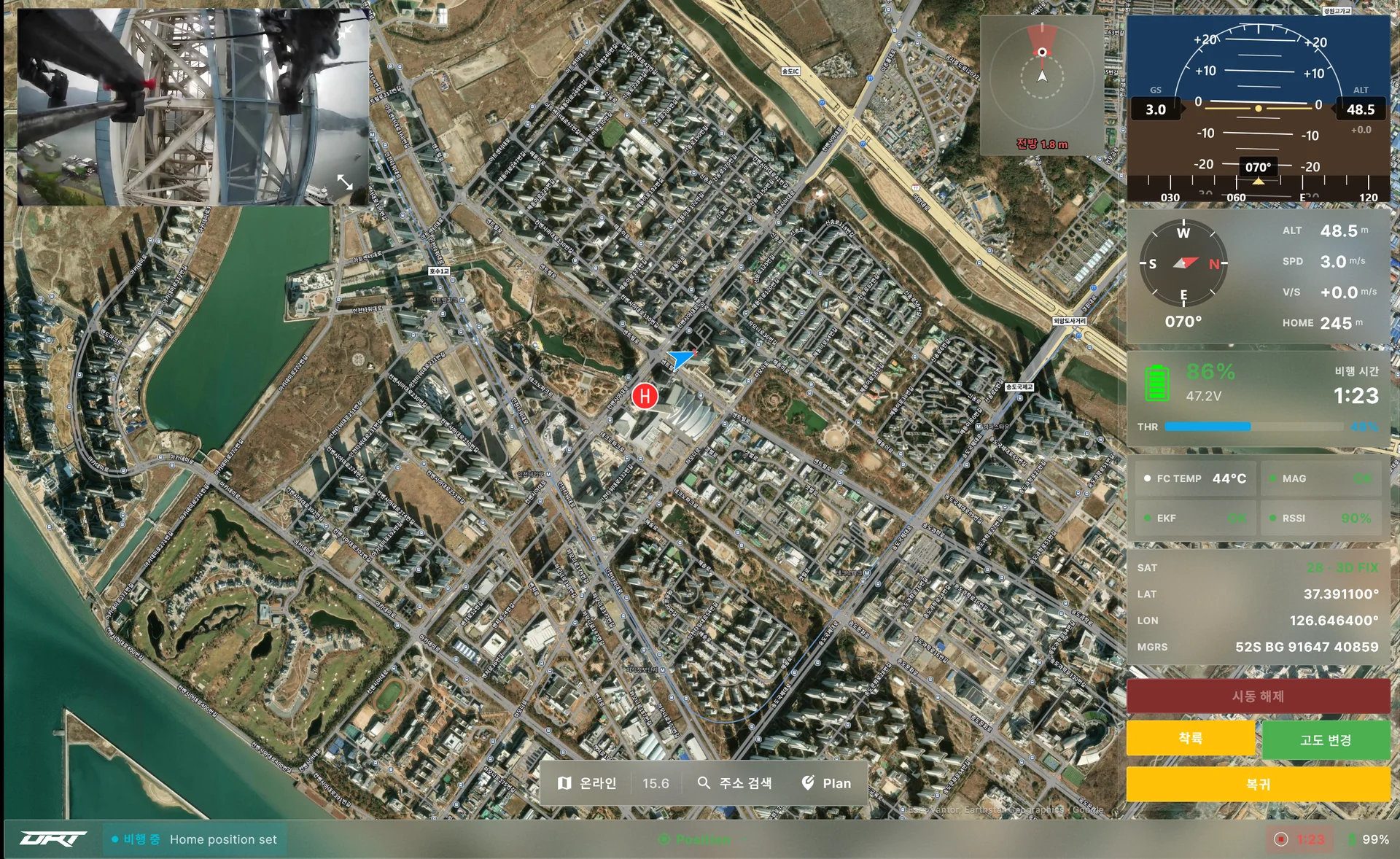
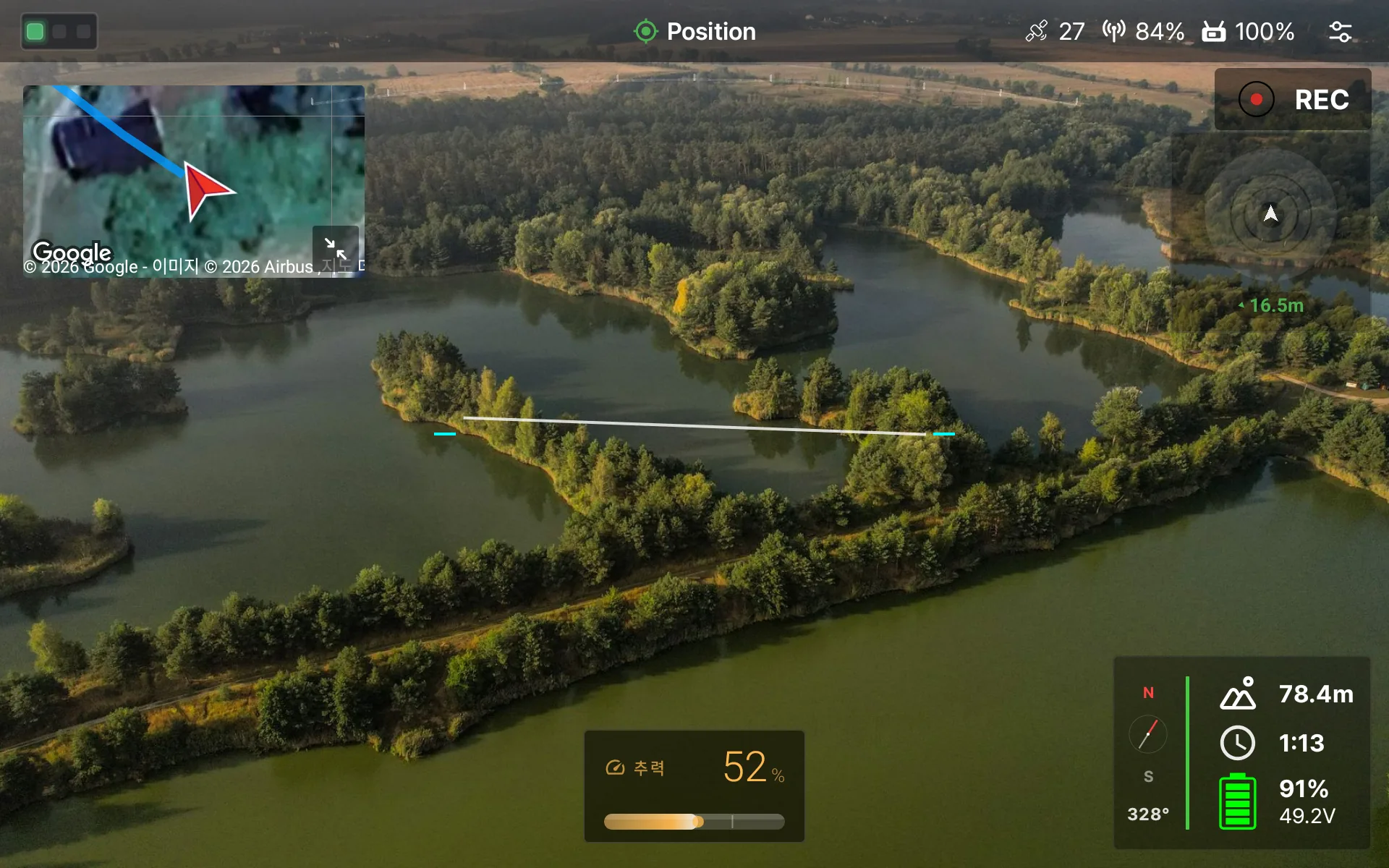
Requests from the field go into developer builds quickly, and releases ship after testing on real aircraft. The Android controller and the Windows PC are updated together.

Behind every release lies a great deal of work

455Developer builds in 132 days, 3 a day on average
10Developer builds made before each release, on average
47Releases in 2026: Android 28, Windows 19
124New features and improvements

November 2026

4 releases
Android 3.33.0Windows 1.23.0
  • Quick Vehicle Setup redesigned — Set the flight limit altitude and distance, the return altitude and what happens after return, and the auto takeoff altitude with buttons on one screen
  • Collision prevention settings appear only on vehicles with collision prevention turned on
  • Address search appears only when the app language is Korean
Windows 1.22.0
  • RC 캘리브레이션 화면에서 다음 단추가 늘 보이고 채널을 두 줄로 보여 줍니다
  • 모터 시험의 프로펠러 제거 확인을 맨 앞으로 옮겼습니다
  • 일부페이지에서 누락된 재부팅안내를 정상적으로 출력합니다
  • 데스크톱 설정 창 위 탭 줄에서 연결·기체·프로그램 설정을 같은 자리에서 오갑니다
  • 설정 창 뒤로 비행 화면이 비치던 문제와 홈 화면 제목에 로고가 겹치던 문제를 고쳤습니다
  • 주의 알림 색과 일부 안내 문구를 다듬고, 최신 펌웨어의 파라미터 설명을 넣었습니다
Android 3.32.0
  • On the RC calibration screen, the next button is always visible and shows the channels in two lines.
  • Moved propeller removal confirmation in motor test to the front
  • Reboot instructions that are missing on some pages are displayed correctly.
  • Fixed an issue where the flight screen was displayed behind the settings window and the logo overlapped with the home screen title.
  • We have refined the warning notification color and some guidance text, and added parameter descriptions for the latest firmware.
Android 3.31.0Windows 1.21.0
  • Redesigned vehicle settings pages and improved connection and obstacle display — NEXA1 lance servo and DRT Q settings pages are reorganized so no setting appears twice, and servo output, travel range, direction and the turtle start switch are set right on the page
  • Added a NEXA10 nozzle servo settings page
  • The obstacle distance ribbon and CP display are less cluttered with one set of safety colors, and the map shows the aircraft and obstacles indoors without GPS
  • Fixed false 'Vehicle disconnected' and 'No offboard signal' alerts on weak radio links, and the connection not appearing right after app start
  • Corrected mission upload, Go-To heading and home altitude, and missions now arm only after the flight mode change is confirmed
  • Alerts when obstacle sensor data stops, and shows DRT parameter descriptions in Korean
  • Desktop also shows failsafes as a banner that does not cover the screen

October 2026

14 releases
Android 3.30.0
  • USB 연결과 종료 안내 개선
  • Pressing back on the home screen shows 'Press back again to exit', and exiting also removes the app from recent apps
  • Obstacle distance now uses the same reference as collision prevention (front edge of the aircraft)
  • Notifies you when wall correction pauses or resumes in cleaning mode
  • During the all-motors test, every spinning motor is highlighted
  • Removed unused permissions and libraries
Windows 1.20.0
  • Firmware update added — flash PX4 firmware directly from vehicle settings (download the official PX4 stable release or choose a file)
  • USB 직결 영상 수신기를 설치본에 포함했습니다
  • Fixed the settings menu being blocked by notification banners
  • Obstacle distance now uses the same reference as collision prevention (front edge of the aircraft)
  • Notifies you when wall correction pauses or resumes in cleaning mode
  • During the all-motors test, every spinning motor is highlighted
  • Removed unused libraries and files
Windows 1.19.1

Bluetooth connection stability — fixed parameter loading stalling partway over a Bluetooth connection. All parameters now load within 10 seconds of connecting

Windows 1.19.0
  • Bluetooth connection improvements — choosing Bluetooth searches nearby devices right away and lists them, and you click one to select it
  • Only devices actually found nearby are listed; paired aircraft that are off or out of range no longer appear
  • Closing the connection settings stops the search so you can connect right away
Android 3.29.1

블루투스 연결 오류 수정 — 연결 설정에서 블루투스 프로필을 만들 때 앱이 간헐적으로 종료되던 문제를 고쳤습니다

Windows 1.18.0
  • Program console cleanup — the default view shows only key events, warnings and errors, repeated lines are collapsed with a count, and internal steps are in the detailed view
  • Fixed the window appearing late when relaunching after an abnormal exit
Android 3.29.0
  • Controller auto-detection and clearer connection failures — The app now detects the controller model (MK15 or UniRC 7) by itself and no longer asks for the device type
  • When the aircraft connection fails, the home screen and banner show the reason
  • Added 'Restart app' to app settings
  • Fixed the screen freezing when stopping a recording and when relaunching after an abnormal exit
Android 3.28.0
  • Recorded video and subtitles saved in one folder (internal storage DRTView)
  • subtitle recording setting
  • download all map address data
  • shows the vehicle's reason when a flight mode change is rejected
  • better parameter reading on slow RC links
  • battery shows '---' when unknown
  • cleaner firmware version display
Windows 1.17.0
  • subtitle recording setting
  • download all map address data
  • shows the vehicle's reason when a flight mode change is rejected
  • better parameter reading on slow RC links
  • battery voltage shows '---' when unknown
  • cleaner firmware version display
Android 3.27.28Windows 1.16.31

Added motor test full slider

  • All-motor test slider
  • In-app update history
Windows 1.16.29

Improved motor test and assignment

  • Fixed motor assignment being cancelled in some situations
  • Motor test and motor assignment can no longer run at the same time
  • Shows the reason when the aircraft rejects a test during assignment
Android 3.27.27

Improved motor test and assignment

  • Fixed motor assignment being cancelled in some situations
  • Dedicated motor assignment window
  • Motor test and motor assignment can no longer run at the same time
  • Shows the reason when the aircraft rejects a test during assignment
  • Update notice also appears when DRTView is the home app
Android 3.27.24Windows 1.16.27

Redesigned Windows themes and settings

  • Four Windows themes and redesigned settings
  • Improved flight control bar behavior
  • Collision prevention display shows the obstacle direction
  • Larger place names on the map
  • Address search shows its supported region
  • More reliable flight log download
  • Improved file picker on Windows
  • Fixed the climb rate display
  • Fixed the Windows installer
Android 3.27.21Windows 1.16.24

Address search, airspace check and a new collision prevention display

  • Address search and airspace check, also offline
  • Obstacle warning sounds in all directions
  • Redesigned collision prevention display
  • Position hold status and warnings
  • NEXA1 settings tab
  • Subtitles for recorded video and storage management
  • Satellite tile map
  • In-app problem reporting

September 2026

4 releases
Windows 1.16.22

Cleaner flight screen layout

  • Fixed overlapping items at the bottom of the flight screen
  • Log replay moved to its own menu
  • Obstacle display moved
  • Fixed the position of the forward distance display
Android 3.27.19
  • Fixed the sensor position in the forward distance display
Android 3.27.18
  • Fixed the home screen background video not playing on some controllers
Android 3.27.17Windows 1.16.20

Redesigned settings and controller setup

  • Automatic USB connection to the aircraft
  • More stable USB and network connections
  • Faster log download over USB
  • Flight logs upload automatically when online
  • Redesigned settings (aircraft, control, flight, diagnostics)
  • Controller channel setup and calibration
  • Control feel editor
  • Unified aircraft summary screen
  • Support for standard joysticks
  • Improved gimbal and joystick control

August 2026

6 releases
Android 3.27.15Windows 1.16.18

Redesigned home screen and steadier connection

  • Redesigned home screen
  • More stable connection
  • Download several logs at once
  • Improved settings screen
  • Fixed warning and display errors
Android 3.27.14
  • New home screen design
  • More stable display
Android 3.27.13
  • Battery warnings appear only in flight
  • Notice when a low-charge battery is connected
Android 3.27.12
  • Can be set as the controller's home app
Android 3.27.11
  • Fixed Wi-Fi module connection
  • Improved obstacle distance display
Android 3.27.10

Flight controller temperature display

  • Flight controller temperature in the top bar, with details
  • Warning banner when the temperature is high
  • Refined top bar size and icon alignment
  • Fixed status messages showing only as codes on some aircraft

July 2026

5 releases
Android 3.27.7
  • Update notices in the app language
  • Aircraft setting updates apply only to the matching aircraft
Android 3.27.6Windows 1.16.9

New terms screen and Japanese on Windows

  • Redesigned terms screen
  • Japanese on Windows
  • Diagonal arming correction for round-gate joysticks
  • Clearer controller calibration guide
  • New location for saved settings
  • Cleaner screen design
  • Fixed battery display on the latest Windows
  • Improved touch on the small video window
  • Language changes apply immediately
Android 3.27.5Windows 1.16.8

Major redesign of the Windows app

  • Bottom command bar and new settings screen
  • Splash screen and automatic update check
  • Improved touchscreen control
  • Aircraft messages and notices in Korean
Android 3.27.4

Remote firmware update for NEXA1

  • Remote NEXA1 firmware update
  • Detailed aircraft status screen
  • Tidier notifications
  • Redesigned obstacle radar screen
  • Fixed app freezes
Android 3.27.3Windows 1.16.6

Airspace display and joystick support

  • Four airspace types, also offline
  • Long-press the map for airspace details
  • Physical and on-screen joystick support
  • Improved touch control
  • Fixed mission download timeouts
  • Old messages clear on app restart or aircraft change
  • No obstacle warning sounds before arming
  • Automatic updates on Windows

Talk to us

Send a photo of your site and your contact details. An engineer will answer which aircraft fits and what it costs.

Contact us
Contact